Single vs Dual Monitor for Programming: Which Setup Is Actually Better?

Gearabout is reader-supported. When you buy through links on this page, we may earn a small commission — at no extra cost to you. Learn more.
Ask ten developers whether you should run one monitor or two, and you’ll get ten confident, contradictory answers. Some swear a second screen doubled their productivity. Others say it just gave them somewhere to put Slack so it could distract them more efficiently.
The truth is that neither setup is universally better. What matters is how you work — what you keep visible, how much you context-switch, and how much desk space and budget you have. This guide breaks down the real tradeoffs so you can pick deliberately instead of defaulting.
The case for a single large monitor
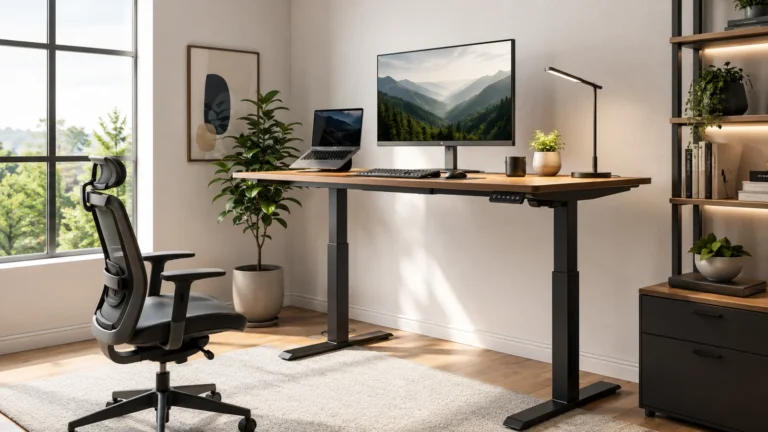
A single big display — typically a 27–32″ 4K panel, or a 34″ ultrawide — has advantages that people who’ve never tried it tend to underestimate.
No bezel down the middle. With two monitors, there’s a physical gap where your screens meet. It sits right in your primary field of view, and you learn to work around it. One large screen is a continuous canvas.
No neck swiveling. Dual monitors usually mean one is off to the side, so you’re turning your head all day. Over years, that asymmetry matters. A single centered display keeps your posture neutral.
Simpler setup and cleaner desk. One cable, one power brick, one thing to align. If you use a laptop, one monitor is far easier to dock and undock.
Better window management, oddly. Modern OS window snapping (and tools like Rectangle, FancyZones, or tiling window managers) lets you split a large display into precise regions. A 32″ 4K screen can comfortably hold a code editor, terminal, and browser side by side — with each pane a sensible size, and none of them cut off by a bezel.
The case is strongest if: you value ergonomics, work primarily in one or two applications at a time, or you’re on a laptop you frequently undock.
The case for dual monitors
Two screens remain the default for a reason.
Genuinely separate contexts. The strongest argument for dual isn’t more pixels — it’s that a physical screen boundary creates a mental boundary. Code on one, documentation or a live preview on the other. You’re not resizing windows; each context has a permanent home.
Cheaper for the same total area. Two decent 27″ monitors often cost less than one premium 32″ 4K or a good ultrawide. If raw screen real estate is the goal, dual is usually the value play.
You can rotate one vertically. This is the underrated superpower of a dual setup. A second monitor rotated 90° into portrait orientation shows an enormous number of lines of code, or a full documentation page, or a long log file, with no scrolling. Many developers who try this never go back.
Redundancy. If one screen dies, you’re not stopped.
The case is strongest if: you constantly reference documentation while coding, monitor logs or dashboards, run tests and code simultaneously, or want a vertical screen.
What about an ultrawide?
An ultrawide (typically 34″ at 3440×1440) is the middle path: the seamless canvas of a single monitor with much of the horizontal space of a dual setup.
Where it wins: side-by-side windows with no bezel, a single cable, and a curve that keeps the edges comfortably in view. For developers who like editor + terminal + browser all visible at once, it’s excellent.
Where it loses: vertical resolution. A 34″ ultrawide at 1440p vertical isn’t as sharp for text as a 4K panel at the same viewing distance, and you get no more vertical lines of code than a standard 1440p monitor. Ultrawides also demand desk depth and a solid stand.
Honest take: ultrawides are great for horizontal multitasking and poor value if what you actually want is text clarity. Read code all day? Pixel density beats width.
The setup most experienced developers land on
There’s a common configuration that quietly resolves the debate:
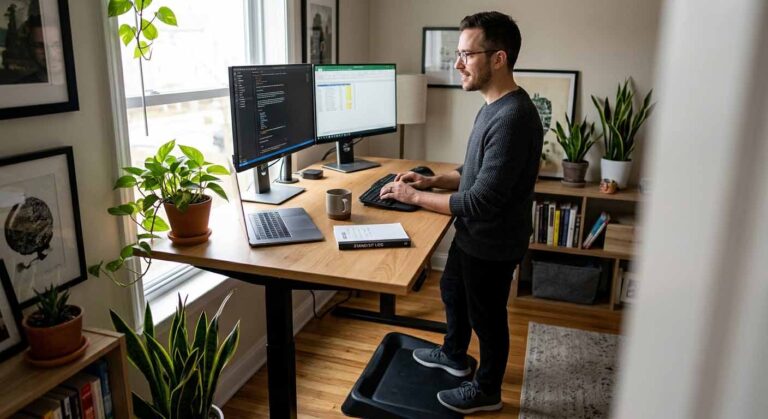
One primary 27–32″ 4K monitor, centered at eye level, plus a secondary monitor rotated vertically off to the side.
The primary screen — high pixel density, sharp text — is where you write code. The vertical secondary holds documentation, logs, a terminal, or chat. You get the ergonomics of a centered main display, the sharp text of 4K, and the separate-context benefit of a second screen, with the secondary positioned for reference rather than primary work (so you’re not craning your neck at it constantly).
It’s often cheaper than a premium ultrawide, and more flexible.
Questions to ask yourself before deciding
How often do you actually reference something while coding? If you live in documentation, logs, or a browser preview, a second screen earns its keep. If you mostly write code with occasional lookups, a large single screen may serve you better.
Does a second screen help you focus, or fragment it? Be honest. For some people the second monitor becomes a permanent home for Slack, email, and notifications — an always-visible distraction. If that’s you, a single screen with deliberate alt-tabbing might actually improve your focus.
How’s your desk space and neck? Two monitors need width and a good stand or arms. If you’ve had neck or shoulder trouble, a centered single display (or a carefully positioned dual arrangement with monitor arms) matters more than raw pixel count.
Do you dock and undock a laptop? Single-monitor setups are dramatically simpler to plug into, especially with a USB-C or Thunderbolt display that handles video, data, and charging over one cable.
What’s your budget? One excellent monitor usually beats two mediocre ones for coding, because text clarity is the thing you feel most. If your budget only stretches to two low-density screens, consider buying one good 4K panel now and adding the second later.
Frequently asked questions
Does a dual monitor setup actually increase productivity? It can, particularly if your workflow involves constantly referencing something while writing code. But the benefit comes from reducing context-switching, not from pixels alone. If a second screen just houses notifications, it may cost you more focus than it gains.
Is one 4K monitor better than two 1080p monitors? For coding, usually yes. Text clarity is the single most important factor for reading code all day, and a 27″ 4K panel is far sharper than a 27″ 1080p one. Two low-density screens give you more area but a worse reading experience.
Should my second monitor be vertical? It’s worth trying. A vertically rotated screen shows far more lines of code or documentation without scrolling, which is exactly what a reference screen is for. Make sure your monitor’s stand supports pivot, or use a monitor arm.
Do the monitors need to be identical? No, but matching size, resolution, and height makes for a more comfortable experience. Mismatched pixel densities can cause windows to change apparent size as you drag them between screens, and mismatched heights strain your neck. If you mix, put the better display in the center as your primary.
Is an ultrawide the same as dual monitors? Not quite. An ultrawide gives you a continuous surface with no bezel, which is nicer for side-by-side windows. But you can’t rotate part of it vertically, and its vertical resolution is typically lower than a 4K panel’s. It’s a different tradeoff, not a strict upgrade.
The bottom line
There’s no universal winner. Choose a single large monitor if you value ergonomics, text clarity, and a simple setup, or if a second screen would mostly host distractions. Choose dual monitors if you constantly reference documentation, want a vertical screen for reading code, or need more area for the money.
If you’re building a setup from scratch and can only buy one thing, buy one very good monitor — a 27–32″ 4K panel with sharp text. Add a second later if you find yourself wanting it. Starting with excellent text clarity and expanding is a better path than starting with two compromised screens.
→ Ready to choose? See our guide to the best monitors for programming.