Best Mini PCs for a Home Server in 2026: 5 Picks for Self-Hosting
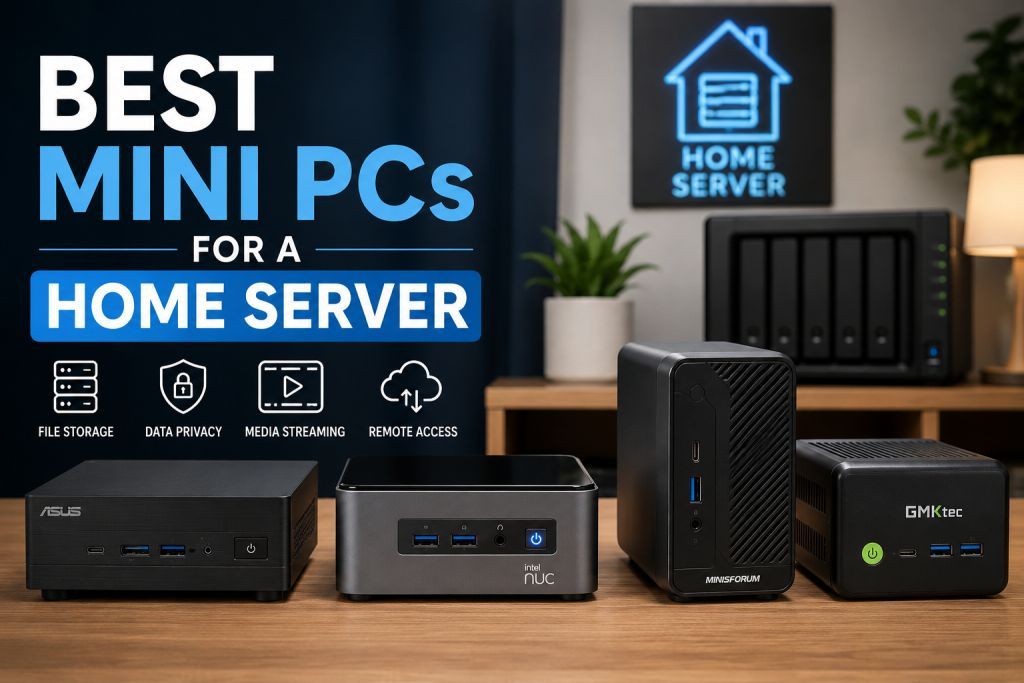
Gearabout is reader-supported. When you buy through links on this page, we may earn a small commission — at no extra cost to you. Learn more.
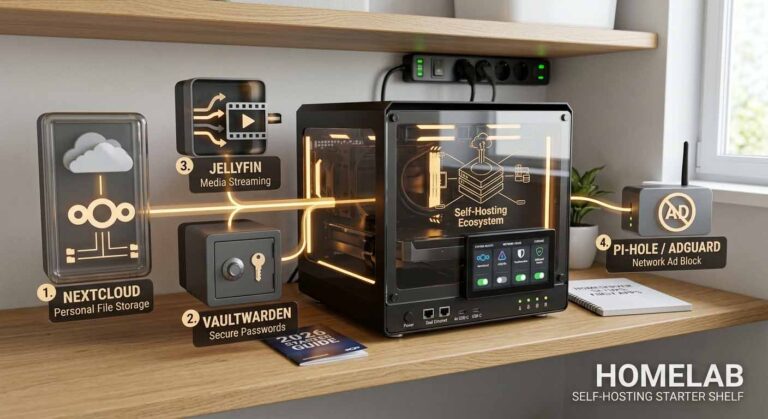
Running your own home server used to mean a noisy tower in a closet and a power bill to match. Not anymore. Modern mini PCs are small, silent, and sip power — yet they’re powerful enough to run a serious self-hosted stack: Nextcloud, Jellyfin or Plex, Home Assistant, Pi-hole, Vaultwarden, a dozen Docker containers, even a few virtual machines. For anyone who wants to own their data, cut cloud subscriptions, and learn real system administration, a mini PC is the ideal starting point.
This guide is for self-hosters and homelab builders. We’ve matched five current mini PCs to real use cases — from an ultra-cheap always-on box for a handful of services, to a Ryzen 9 powerhouse that runs a full Proxmox host with multiple VMs. Whatever you’re hosting, there’s a right-sized machine here.
I run a dedicated Proxmox node for local storage and containerized dev environments. My biggest takeaways? You’ll always run out of RAM long before CPU cycles, and that cheap, power-hungry enterprise gear on eBay will absolutely murder your electric bill. Keep it efficient, buy a solid UPS, and remember: if your backup strategy isn’t automated, you’re just running a countdown clock to data loss.
Quick picks: the best mini PCs for a home server at a glance
| Category | Mini PC | Best for |
|---|---|---|
| Best overall | MINISFORUM UM790 Pro | Serious builds — Proxmox, multiple VMs, room to grow |
| Best budget | Beelink Mini S12 Pro (N100) | A capable always-on server for minimal cost |
| Best value upgrade | Beelink Mini S13 (N150) | Newer chip and more storage headroom |
| Best mid-range | Beelink SER5 Pro (Ryzen 5) | RAM headroom for VMs and heavier workloads |
| Best for multi-display | KAMRUI Pinova P2 | Triple 4K output and desktop-replacement duty |
What actually matters in a mini PC for self-hosting
Choosing a home server mini PC comes down to a few specs that genuinely affect what you can run:
RAM — your primary constraint. Each service eats memory. A rough planning figure is about 1GB per service; a stack like Nextcloud plus a database, a photo server with AI features, and a media server adds up fast. 16GB is the practical minimum you should buy — and every pick here meets or exceeds it. If you plan to run virtual machines, prioritize a unit that supports 32GB or more.
CPU and transcoding. For most self-hosters, a modern low-power Intel chip (N100, N150) is plenty. Here’s the key insight: Intel chips from 12th gen onward include Quick Sync, which hardware-accelerates video transcoding. That means a tiny sub-25W Intel box can transcode 4K Plex or Jellyfin streams to multiple clients — something to weigh if you run a media server with remote users. If you need raw multi-core power for heavy VMs, an AMD Ryzen chip pulls ahead.
Storage. Most mini PCs ship with an M.2 NVMe slot; several here support dual M.2 drives, which lets you separate your OS from your data or set up RAID. NVMe is fast and ideal for the OS and databases. For bulk storage (media libraries, photo backups), plan to add a USB external drive or connect to a NAS over the network.
Networking. A 2.5G LAN port (found on several picks here) is a meaningful upgrade for a home server moving large files or streaming to multiple devices — well worth having over plain gigabit.
Power consumption and reliability. These run 24/7, so idle wattage matters for your electricity bill, and the machine needs to be available at 2 AM from your phone. Favor units with a reputation for stable always-on operation, and plan a remote-access method — Tailscale is the easiest secure option.
The best mini PCs for a home server, reviewed
1. MINISFORUM UM790 Pro — Best overall
For serious home server builds, the UM790 Pro is the machine to beat. Powered by an AMD Ryzen 9 7940HS (8 cores/16 threads, up to 5.2GHz) on a 4nm process, it has the muscle to run a Proxmox host with several VMs, a stack of Docker containers, and a media server all at once.
Why it’s great for self-hosting: The standout is expandability. It ships with 32GB of DDR5-5600 and supports dual-channel up to 64GB — exactly what virtualization workloads need — plus two M.2 2280 PCIe 4.0 slots with RAID 0/1 support, so you can separate OS and data or add redundancy. Two full-speed 40Gbps USB4 ports let you attach high-speed external NVMe or docking stations once the internal slots fill up. Its Cold Wave 2.0 liquid-metal cooling keeps it quiet under sustained load. It’s a machine you grow into rather than out of.
Watch out for: It’s the priciest pick here and draws more power than the budget Intel boxes. Overkill if you only plan to run a few light services.
Best for: Anyone running Proxmox with multiple VMs, a 10+ container Docker stack, or who wants serious headroom for years.
Check current price on Amazon →
2. Beelink Mini S12 Pro (Intel N100) — Best budget
The Mini S12 Pro is the machine to point a newcomer toward. Built on Intel’s efficient N100 (4C/4T, up to 3.4GHz), it costs little, runs near-silent at around 32dB, and sips power — while still handling a real self-hosting stack.
Why it’s great for self-hosting: Despite the low price, its 16GB of DDR4 and 512GB NVMe (expandable to 4TB) comfortably run Plex or Jellyfin, Nextcloud, Home Assistant, Pi-hole, and a dozen Docker containers. The Intel chip’s Quick Sync makes it a surprisingly capable little media server, and it includes a 2.5G Ethernet port — a genuinely useful touch at this price for a file-serving box. Dual HDMI, Wi-Fi 6, and four 10Gbps USB 3.2 ports round it out.
Watch out for: It’s not built for heavy virtualization or many simultaneous VMs. The N100 is efficient, not powerful — perfect for a core stack, not for running a dozen VMs.
Best for: Beginners and budget-conscious self-hosters running a handful of services on an always-on box.
Check current price on Amazon →
3. Beelink Mini S13 (Intel N150) — Best value upgrade
The Mini S13 is the newer sibling to the S12 Pro, swapping in Intel’s 2025 N150 chip — a roughly 10–15% performance bump over the N100 and N95 — while keeping the same low ~25W power draw.
Why it’s great for self-hosting: You get the same silent, power-sipping profile as the budget pick, but with a modest performance edge and support for dual M.2 2280 drives up to 4TB — meaning you can separate your OS and data, or expand storage significantly down the line. 16GB DDR4, Wi-Fi 6, four 10Gbps USB 3.2 Gen2 ports, and features like Wake-on-LAN and PXE boot make it a tidy, capable little server. It also includes a wall-mount bracket to tuck it behind a monitor.
Watch out for: Like the S12 Pro, it’s an efficiency chip — great for a core stack, not for heavy virtualization. The gap over the N100 is real but modest, so choose based on price and the dual-M.2 storage flexibility.
Best for: Self-hosters who want the newest efficient Intel chip and room to expand storage, at a still-low price.
Check current price on Amazon →
4. Beelink SER5 Pro (AMD Ryzen 5) — Best mid-range
The SER5 Pro steps up to an AMD Ryzen 5 5625U (6 cores/12 threads, up to 4.3GHz), giving you real multi-core muscle for workloads the efficiency chips can’t comfortably handle.
Why it’s great for self-hosting: The headline is RAM expandability — it ships with 16GB DDR4 but supports up to 64GB (2x32GB), which opens the door to running multiple VMs alongside your container stack. The 6-core/12-thread Ryzen chip handles heavier services, small AI models, and light workloads with ease, and it drives dual displays at 4K@60Hz. A 2.5G LAN port and Wi-Fi 6 keep the networking fast. It’s the sweet spot for someone who’s outgrown an N100 box but doesn’t need the flagship.
Watch out for: Ryzen chips without dedicated GPU acceleration aren’t as efficient at Plex transcoding as Intel’s Quick Sync — so if media streaming to remote clients is your main goal, an Intel box may suit better. It also draws more power than the N-series boxes.
Best for: Self-hosters who want to run several VMs and heavier services, with a clear RAM upgrade path.
Check current price on Amazon →
5. KAMRUI Pinova P2 (AMD Ryzen 7330U) — Best for multi-display
The Pinova P2 is the pick for anyone who wants their home server to occasionally double as a capable desktop, thanks to its triple 4K output and efficient Zen 3 Ryzen chip.
Why it’s great for self-hosting: The Ryzen 7330U (4C/8T, up to 4.3GHz) with 8MB L3 cache delivers smooth multitasking at just 15W, and its Radeon (Vega) graphics can drive three 4K@60Hz displays via HDMI, DisplayPort, and USB-C — useful if the machine pulls double duty as a workstation or media hub. It has 16GB RAM, a 256GB SSD, and two M.2 expansion slots supporting up to 4TB, plus a VESA mount to tuck it behind a monitor.
Watch out for: Its RAM is LPDDR4X, which is typically soldered rather than user-upgradeable — so confirm the ceiling suits your plans before buying, as you can’t add more later the way you can with the SER5 Pro. The 256GB base storage is the smallest here, so budget for an NVMe upgrade.
Best for: Users who want a small server that can also drive a multi-monitor desktop or media setup.
Check current price on Amazon →
How to choose the right mini PC for you
If you’re new to self-hosting: start cheap with the Beelink Mini S12 Pro (or the newer S13). Either runs the core stack, sips power, and makes the cost of experimenting trivial.
If media streaming is your priority: choose an Intel box (S12 Pro or S13) with Quick Sync for efficient hardware transcoding to remote clients.
If you want to run several VMs: the Beelink SER5 Pro’s 6-core Ryzen and 64GB RAM ceiling give you real headroom, or step up to the UM790 Pro for a full Proxmox host.
If you want a serious, future-proof server: the MINISFORUM UM790 Pro’s Ryzen 9, 64GB DDR5 ceiling, and dual PCIe 4.0 NVMe slots will handle demanding setups for years.
If the box will also be a desktop: the KAMRUI Pinova P2’s triple 4K output makes it a flexible dual-purpose machine.
Don’t forget: budget 16GB RAM minimum (more for VMs), plan your bulk storage (external USB or NAS), and set up secure remote access with something like Tailscale from day one.
Frequently asked questions
es, for most self-hosting needs. Modern mini PCs combine low power consumption, compact size, and strong multi-core performance. A unit with a decent CPU, 16GB or more of RAM, and NVMe storage can reliably run a NAS, media server, Docker host, and a small homelab at the same time.
16GB is the practical minimum, and every pick here meets it. Budget roughly 1GB per service: a Nextcloud and database, a photo server with AI features, and a media server will use 8–12GB easily. If you plan to run virtual machines, get a unit that supports 32GB or more — the SER5 Pro (up to 64GB) and UM790 Pro (up to 64GB) are the ones to look at.
For most people, a modern low-power Intel chip (N100 or N150) is ideal — and its Quick Sync feature makes Plex and Jellyfin transcoding far more efficient. Choose AMD Ryzen (SER5 Pro or UM790 Pro) when you need raw multi-core power for heavy virtualization or computation rather than media streaming.
Yes, and Intel mini PCs do it especially well thanks to Quick Sync hardware transcoding. Even a low-power Intel N-series box can transcode streams to multiple clients, making it a capable and energy-efficient media server.
The easiest secure method is a tunnel like Tailscale, which needs minimal configuration. The more traditional approach is a reverse proxy with your own domain name and SSL certificates. Either way, set up remote access early so your services are reachable when you’re away.
If you move large files across your network or stream to several devices, yes — 2.5G Ethernet is a worthwhile step up from standard gigabit. Several picks here (the S12 Pro and SER5 Pro) include it.
The bottom line
A mini PC is the smartest way to start or seriously upgrade a home server in 2026. For most people, the budget Beelink Mini S12 Pro is enough to run a full core stack while sipping power — or step to the newer Mini S13 for more storage flexibility. Need to run several VMs? The Beelink SER5 Pro and its 64GB RAM ceiling. Want a dual-purpose box with triple 4K? The KAMRUI Pinova P2. And for serious, future-proof builds, the MINISFORUM UM790 Pro is the gold standard.
Whatever you pick, get at least 16GB of RAM, favor Intel if media transcoding matters, plan your storage, and set up secure remote access from the start. Self-hosting gives you control, privacy, and freedom from subscriptions — and the right mini PC makes it effortless.
Prices and availability change frequently. Check the current price using the links above before buying.