Best Monitors for Programming in 2026: Top Picks for Coding & Development
Gearabout is reader-supported. When you buy through links on this page, we may earn a small commission — at no extra cost to you. Learn more.
If you write code for a living, your monitor is the single most important piece of gear on your desk. You stare at it for eight, ten, sometimes twelve hours a day. The right display means sharper text, less eye strain, fewer headaches at 4 PM, and enough screen real estate to keep your editor, terminal, and browser visible at once. The wrong one means squinting, scrolling, and neck ache.
This guide cuts through the noise. We researched the current market, compared the displays that developers and reviewers consistently rank highest, and matched each one to the kind of programmer it actually suits — whether you’re a full-stack developer juggling IDEs, a backend engineer living in the terminal, or a student setting up a first proper coding desk.
As someone who spends 10–12 hours a day in a code editor, I’ve become very picky about monitors. For me, sharp text matters more than flashy gaming specs. After using a 27-inch 4K IPS display, going back to 1080p or even basic 2K feels painful because fuzzy text quickly causes eye strain.
For programming, I look for three things: crisp pixel density, a flat screen, and a solid adjustable stand. A monitor that can rotate into portrait mode is a big bonus. It makes long scripts, documentation, and debugging sessions much easier to handle without endless scrolling.
Quick picks: the best programming monitors at a glance
| Category | Monitor | Best for | Where to buy |
|---|---|---|---|
| Best overall | BenQ RD320UA | Dedicated coders who want coding-specific features | Check Price |
| Best premium all-rounder | Dell UltraSharp U2725QE | Pros wanting one-cable Thunderbolt + KVM | Check Price |
| Best budget 4K | Dell S2725QS | Sharp text without the premium price | Check Price |
| Best ultrawide | LG 34U650A-B | Side-by-side code, terminal, and preview | Check Price |
| Best high-end / Mac | Samsung Viewfinity S65UA | 5K clarity and single-cable Mac setups | Check Price |
What actually matters in a programming monitor
Coding monitors are judged differently from gaming or general-office displays. Refresh rate and flashy color gamut matter far less than these:
Text clarity (pixel density). This is the number-one factor. Dense code at small font sizes needs crisp, sharp text. Pixel density — driven by resolution relative to screen size — is what makes edges of letters invisible and reduces eye strain. The current sweet spot is 4K at 27–32 inches, which lands around 140–165 PPI (pixels per inch) — sharp enough that individual pixels disappear. 1440p at 27″ works and is cheaper, but text looks noticeably less crisp up close.
Panel type. IPS panels are the standard for coding: consistent colors and stable viewing angles so the text doesn’t shift when you move. Newer IPS Black panels add deeper blacks, which is easier on the eyes for dark-mode editors. Avoid TN panels.
Eye-care features. Flicker-free backlighting and low-blue-light modes genuinely reduce fatigue over long sessions. Some monitors (notably BenQ’s coding line) go further with dedicated “coding modes” that tune contrast for syntax-highlighted text.
Screen real estate & aspect ratio. More usable space means less alt-tabbing. A 27–32″ 4K display fits a lot. Ultrawides (34″) let you place editor, terminal, and browser side by side without a bezel gap. 3:2 aspect ratio monitors (like BenQ’s RD series) show roughly a third more vertical lines of code than standard 16:9 — a real productivity gain when reading long files.
Ergonomics. Height, tilt, and swivel adjustment matter when you sit with it all day. A monitor you can raise to eye level protects your neck. Vertical-rotation (pivot) is a bonus for reading long code or documentation.
Connectivity (USB-C / Thunderbolt). A monitor with USB-C Power Delivery or Thunderbolt can charge your laptop, drive the display, and act as a hub — all through one cable. A built-in KVM lets you control a work and personal machine with one keyboard and mouse. These features clean up your desk dramatically.
The best monitors for programming, reviewed
1. BenQ RD320UA — Best overall for programmers
The BenQ RD-series is one of the few monitor lines built specifically for coding rather than adapted from office or gaming displays. The RD320UA is a 32-inch 4K panel with a nano-matte finish that kills glare and keeps text exceptionally sharp.
Why it’s great for programmers: Dedicated dark and light coding modes adjust the tone curve so syntax-highlighted code stands out and is easier on the eyes. The matte coating delivers glare-free clarity, and the eye-care technology is built for marathon sessions. Higher-end models in the line add ambient backlighting to reduce fatigue during night coding and a KVM switch for controlling two machines.
Watch out for: The refresh rate is geared toward work, not gaming — perfectly fine for coding, less so if you also game seriously. It also sits at the premium end of the price range.
Best for: Developers who spend 8+ hours a day in their editor and want every coding-specific comfort feature.
2. Dell UltraSharp U2725QE — Best premium all-rounder
Dell’s UltraSharp line is a long-time favorite among professionals, and this model pairs a 27-inch 4K IPS Black panel with modern connectivity.
Why it’s great for programmers: IPS Black gives deeper blacks and excellent text contrast, ideal for dark-mode editors. Thunderbolt 4 means a single cable handles video, data, and laptop charging, and the built-in KVM lets you switch between two computers seamlessly. It’s the cleanest one-cable desk setup on this list.
Watch out for: It’s an investment, and the refresh rate is tuned for productivity rather than gaming.
Best for: Professional developers who want premium build quality and the simplest possible cable setup.
3. Dell S2725QS — Best budget 4K
Proof that you don’t need to spend a fortune for razor-sharp text. This 27-inch 4K display delivers roughly the same ~163 PPI pixel density as monitors costing twice as much.
Why it’s great for programmers: At 27″ and 4K, text is Retina-sharp, which is the thing that matters most for coding. For developers on a budget or building a first proper setup, it hits the essential target — crisp text on a quality IPS panel — without premium extras.
Watch out for: Fewer bells and whistles — don’t expect Thunderbolt, KVM, or coding modes. Connectivity is more basic.
Best for: Students, junior developers, and anyone who wants sharp 4K text at the lowest sensible price.
4. LG 34U650A-B — Best ultrawide
If you’re tired of the bezel gap between two monitors, an ultrawide gives you one continuous canvas. This 34-inch 3440×1440 curved display is a developer favorite for multi-window work.
Why it’s great for programmers: You can place your code editor, terminal, and a browser preview side by side with no alignment headaches and no bezel down the middle. It eliminates a lot of alt-tabbing. The curve keeps the edges comfortably in view.
Watch out for: At 1440p vertical resolution, text isn’t quite as crisp as a 4K panel at the same viewing distance. Ultrawides also need desk depth and a sturdy stand.
Best for: Developers who value horizontal real estate and side-by-side workflows over maximum text sharpness.
5. Samsung Viewfinity S65UA — Best high-end / for Mac developers
A 5K, 34-Inch display that competes with Apple’s own pro monitors at a friendlier price, with single-cable Thunderbolt connectivity.
Why it’s great for programmers: 5K resolution at 34″ produces extraordinarily sharp text, and the Thunderbolt connection makes it a clean single-cable setup for MacBooks on Apple Silicon. For Mac developers who want Retina-class clarity on an external display, it’s a standout.
Watch out for: It’s a premium purchase, and the benefits are most obvious to those who specifically want 5K and Mac-friendly connectivity.
Best for: Mac-based developers who want maximum text clarity and a tidy single-cable desk.
How to choose the right monitor for you
If you want the best coding experience overall: a purpose-built coding monitor like the BenQ RD series, or a 27–32″ 4K IPS display.
If you’re on a budget: a 27″ 4K panel like the Dell S2725QS gets you the single most important feature — sharp text — for the least money.
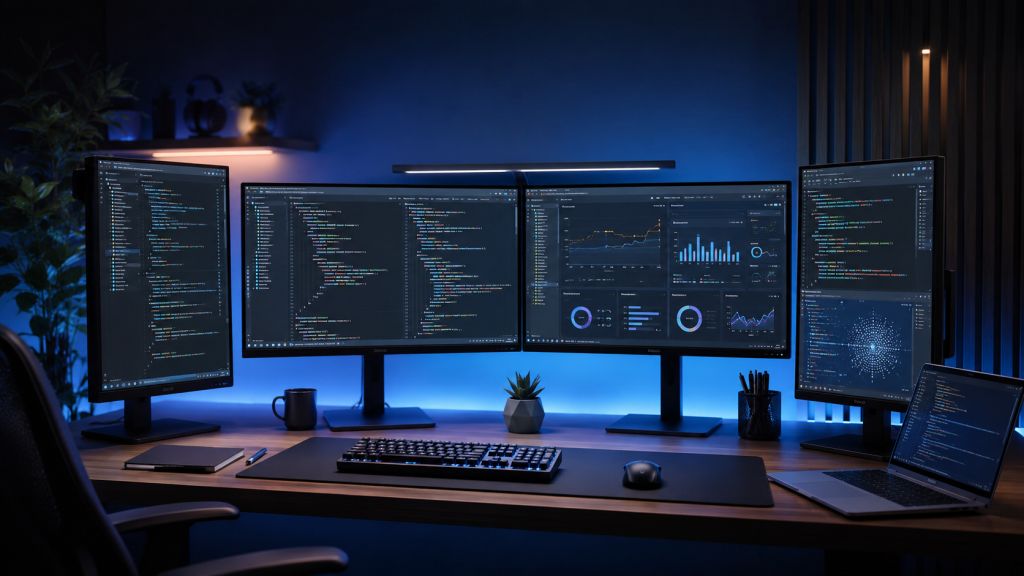
If you multitask heavily: an ultrawide (or a dual-monitor setup with a vertical second screen for documentation) maximizes how much you can see at once.
If you use a MacBook: prioritize Thunderbolt connectivity and high resolution (5K if budget allows) for a clean single-cable setup.
A note on single vs. dual setups: Many developers run a primary 27–32″ 4K monitor plus a secondary monitor rotated vertically for documentation, logs, or chat. It’s often more flexible — and cheaper — than one giant display. Consider your desk space and how you actually work.
Frequently asked questions
Yes, especially at 27 inches and above. The extra pixel density makes text noticeably sharper, which reduces eye strain over long sessions. The price gap between quality 1440p and 4K at 27″ has narrowed considerably, so 4K is the sensible default for most coders today.
27 to 32 inches is the sweet spot for a single 4K display. 27″ fits most desks and works well in dual setups; 32″ gives more room for a single-screen workflow. Ultrawide 34″ displays are ideal if you prefer side-by-side windows.
Both work well. Ultrawide gives one seamless surface with no bezel gap; dual monitors are cheaper and let you rotate one screen vertically for reading code or documentation. It comes down to desk space and personal preference.
No. High refresh rates matter for gaming, not coding. Prioritize text clarity, panel quality, and eye-care features instead. A standard 60Hz (or 120Hz where available) is perfectly fine for development work.
Flicker-free backlighting and low-blue-light modes do genuinely reduce fatigue during long sessions. Good anti-glare (matte) coatings also help in bright rooms. They won’t fix bad posture or lighting, but they’re a real, worthwhile factor.
The bottom line
For most developers, a 27–32 inch 4K IPS monitor is the right call — it nails the text clarity that matters most for code. If you want coding-specific features, the BenQ RD320UA leads; for a premium one-cable setup, the Dell UltraSharp U2725QE; for sharp text on a budget, the Dell S2725QS; for multitasking, the LG 34WP85C ultrawide; and for Mac developers, the Samsung ViewFinity S65UA.
Whatever you choose, prioritize pixel density, a quality IPS panel, and ergonomic adjustment over flashy specs you’ll never use. Your eyes — and your productivity — will thank you.
Prices and availability change frequently. Check the current price using the links above before buying.